RTX 5090 vs Apple M5 Max for Local AI: GPU VRAM vs Unified Memory
An in-depth comparison of NVIDIA's RTX 5090 (32GB GDDR7) and Apple's M5 Max (128GB unified memory) for running AI models locally. Covers LLM inference, image generation, fine-tuning, power efficiency, and total cost of ownership.
Two fundamentally different approaches to local AI
The RTX 5090 and M5 Max represent the two competing philosophies for consumer AI hardware in 2026. NVIDIA's approach: a discrete GPU with a small pool of extremely fast memory. Apple's approach: a unified chip where CPU, GPU, and Neural Engine share a large pool of moderately fast memory.
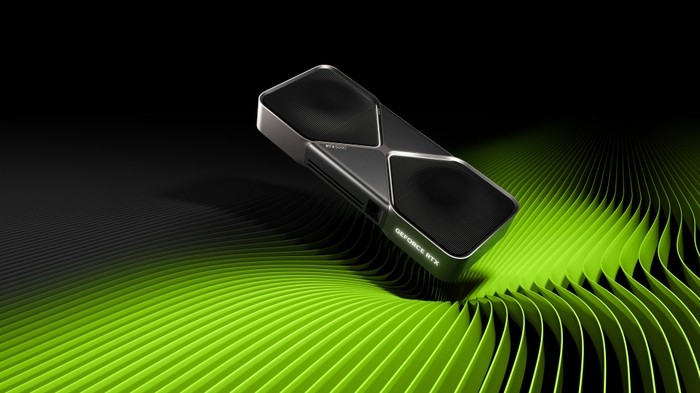
Neither is universally "better." Each dominates specific workloads and fails at others. Understanding the tradeoffs is essential for choosing the right hardware for your AI workflow.
| Spec | RTX 5090 | M5 Max (128GB) |
|---|---|---|
| Memory | 32 GB GDDR7 | 128 GB unified |
| Bandwidth | 1,792 GB/s | 614 GB/s |
| Compute (AI) | 3,352 AI TOPS | ~800 TOPS (estimated) |
| Power draw (AI load) | 450W+ (GPU only) | ~40W (entire chip) |
| System price | ~$5,000 (full PC build) | ~$4,500 (MacBook Pro 128GB) |
| Upgradeable | Yes (swap GPU) | No (soldered memory) |
The numbers tell a clear story: the RTX 5090 has 2.9x more bandwidth but 4x less memory. This single dynamic defines which platform wins at each task.
LLM inference: where model size determines the winner
Small models (7-13B): RTX 5090 wins decisively
For models that fit in 32GB, the RTX 5090's bandwidth advantage translates directly to speed. On Llama 3.3 8B at Q4_K_M:
- RTX 5090: ~213 tok/s
- M5 Max: ~110 tok/s
That's a 1.9x speed advantage. For coding assistants and chatbots using 7-13B models, the RTX 5090 feels noticeably more responsive.
Medium models (27-32B): RTX 5090 still ahead
DeepSeek-R1 Distill 32B at Q4 needs ~20GB — fits on both platforms. The RTX 5090 generates ~45 tok/s versus the M5 Max's ~25 tok/s. The bandwidth gap shrinks slightly as models get larger (more sequential memory access), but NVIDIA still leads by ~1.8x.
Large models (70B): M5 Max wins
Here's where the tables turn. Llama 3.3 70B at Q4 needs ~42GB of memory. The RTX 5090 has 32GB — it cannot fit this model without aggressive quantization (Q3 or lower) or CPU offloading, both of which tank quality or speed. The M5 Max loads the entire model in its 128GB unified memory and generates ~22 tok/s. Not blazing fast, but perfectly usable for interactive chat.
The RTX 5090 alternative? Offload the overflow to system DDR5 RAM at 76 GB/s — roughly 8x slower than GDDR7. Effective speed drops to 8-12 tok/s, below the M5 Max. Or add a second GPU (another $2,900+), which defeats the cost comparison.
Massive models (100B+ MoE): M5 Max is the only option
Llama 4 Maverick (400B total, 17B active) at Q4 needs the active parameters plus routing tables and KV cache in memory. The M5 Max handles this within 128GB. The RTX 5090 can technically run MoE models where active parameters fit in 32GB, but the full model's routing weights often exceed VRAM limits. For DeepSeek-V3.2 or other large MoE models, unified memory is the only viable single-device option.
Image and video generation: RTX 5090 dominates
Image generation is where the RTX 5090 pulls far ahead. CUDA acceleration in ComfyUI, Stable Diffusion, and Flux is 2-5x faster than Apple's MPS (Metal Performance Shaders) backend.
Stable Diffusion 3.5 Large (1024×1024)
- RTX 5090: ~18 seconds (FP16)
- M5 Max: ~90 seconds (MPS)
That's a 5x speed difference. For artists iterating on prompts — generating dozens of variations — this gap makes the RTX 5090 the only practical choice. The Flux model shows a similar pattern: ~12 seconds on RTX 5090 versus ~60 seconds on M5 Max.
Video generation
LTX-2 and other video models are built for CUDA. Most don't have Metal/MPS backends at all. If video generation is part of your workflow, an NVIDIA GPU is currently non-negotiable.
LoRA training
Fine-tuning image models requires CUDA-specific libraries (bitsandbytes, Flash Attention, DeepSpeed). Apple Silicon cannot do LoRA training for Stable Diffusion or Flux models. The entire training ecosystem is NVIDIA-only. M5 Max is inference-only for image generation.
Power, noise, and daily livability
This is where the M5 Max has an overwhelming advantage that benchmarks don't capture.
Power consumption
- RTX 5090 system: 450-600W under AI load (GPU alone draws 450W TDP). Annual electricity cost at $0.15/kWh: ~$400-500 running 12 hours/day.
- M5 Max MacBook Pro: 35-45W under AI load (entire chip). Annual cost: ~$25-30. Runs on battery for 2-3 hours under inference.
The RTX 5090 system uses 10-15x more power. Over the lifetime of the hardware, this adds up to $1,500+ in electricity costs.
Noise
The RTX 5090 under AI load is loud — triple-slot coolers spin at 2,000+ RPM, producing 40-50 dB. Dual-GPU setups are worse. The M5 Max MacBook Pro is nearly silent under inference — fans rarely engage, and when they do, they're barely audible at ~25 dB. The Mac Studio M5 Max is even quieter with its larger heatsink.
Portability
The M5 Max fits in a laptop. The RTX 5090 requires a full tower PC. If you need AI capability on the go — in meetings, at a coffee shop, while traveling — there is no PC equivalent. No gaming laptop matches 128GB of unified memory.
Form factor
A Mac Mini with M4 Pro (24GB) or Mac Studio with M5 Max (128GB) fits on a desk shelf. An RTX 5090 PC is a 40+ pound tower that needs dedicated space, cable management, and adequate ventilation. For users who value a clean workspace, the Mac form factor is dramatically better.
Fine-tuning and training: NVIDIA only
If you plan to train or fine-tune AI models — not just run them — the RTX 5090 is the only choice. The entire training ecosystem (PyTorch CUDA, bitsandbytes, Flash Attention, DeepSpeed, Megatron, FSDP) is built for NVIDIA GPUs.
Apple's MLX framework supports some fine-tuning workflows, but it's limited to specific model architectures and doesn't support the full range of training techniques (LoRA adapters for LLMs work, but image model training doesn't). Mixed-precision training, gradient checkpointing, and distributed training across multiple GPUs are NVIDIA-exclusive capabilities.
What you can fine-tune on each platform
| Task | RTX 5090 | M5 Max |
|---|---|---|
| LLM LoRA fine-tuning (7-13B) | Yes, fast | Yes, via MLX (slower) |
| LLM full fine-tuning | QLoRA up to 13B | No |
| Image LoRA training (SDXL/Flux) | Yes | No |
| Image model fine-tuning | Yes (DreamBooth, textual inversion) | No |
| Reinforcement learning | Yes | No |
If training is even 10% of your workflow, build a PC with an NVIDIA GPU. If you only need inference, both platforms are viable.
Total cost of ownership over 3 years
Let's compare the true cost of each platform over a 3-year ownership period, including hardware, electricity, and resale value:
| Cost Factor | RTX 5090 PC | MacBook Pro M5 Max 128GB |
|---|---|---|
| Hardware purchase | $5,000 | $4,500 |
| Electricity (3 years, 8hr/day) | $1,050 | $60 |
| Resale value (3 years) | -$1,500 (GPU + parts) | -$2,500 (Macs hold value) |
| Net 3-year cost | $4,550 | $2,060 |
The Mac is significantly cheaper to own over 3 years. The RTX 5090 PC's higher electricity consumption and faster depreciation (NVIDIA GPUs lose 50-70% value in 3 years, while MacBooks retain 50-60%) make it the more expensive option despite similar purchase prices.
However, this comparison ignores capability differences. If you need CUDA for training, image generation speed, or multi-GPU expansion, the PC is the only option — the Mac can't do those things at any price. Cost analysis only matters when both platforms can do what you need.
Our verdict: who should buy which
After extensive testing, here's our recommendation:
Buy the RTX 5090 PC if:
- You primarily run 7-32B models and want maximum speed
- You do image/video generation — CUDA acceleration is 2-5x faster
- You need to train or fine-tune any models
- You want to serve models to a team using vLLM
- You plan to add a second GPU later for more VRAM
Buy the M5 Max Mac if:
- You run 70B+ models that don't fit on 32GB VRAM
- You value silence, portability, and power efficiency
- Your workflow is inference-only (no training or fine-tuning)
- You need AI capability on the go
- You're already in the Apple ecosystem for development
The power user move: both
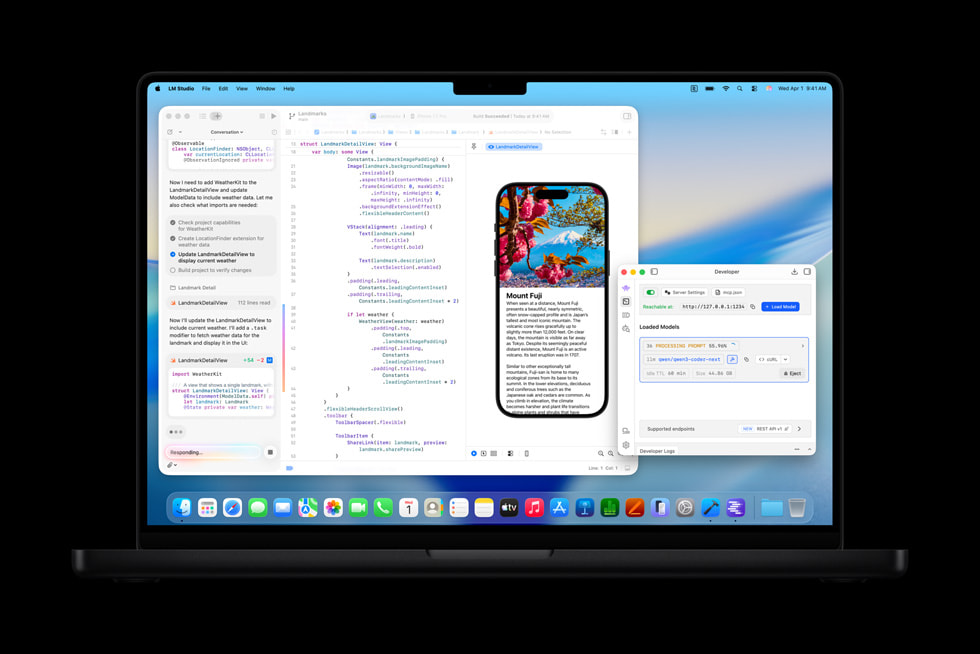
The ideal local AI setup for a professional in 2026 is a Mac laptop (M5 Max 128GB) plus a PC with an RTX 4090 or RTX 5090. Use the Mac for daily inference, large model exploration, and portable AI. Use the PC for image/video generation, fine-tuning, and high-speed inference on smaller models. Ollama runs on both, so you can switch seamlessly. Total cost: $7,500-9,500 — expensive, but it covers every local AI use case without compromise.
Frequently Asked Questions
Is the RTX 5090 or M5 Max better for running LLMs locally?
It depends on model size. For 7-32B models, the RTX 5090 is 1.5-2x faster thanks to 1,792 GB/s GDDR7 bandwidth. For 70B+ models, the M5 Max wins because its 128GB unified memory fits the entire model — the RTX 5090's 32GB can't. Choose based on the model sizes you'll run most often.
Can the RTX 5090 run a 70B model?
Barely. A 70B model at Q4 needs ~42GB — 10GB more than the RTX 5090's 32GB. You can run it at Q3 (lower quality) or with CPU offloading (slower, ~8-12 tok/s instead of 30+). For comfortable 70B performance on NVIDIA, you need dual 24GB GPUs (2x RTX 3090 or 4090) for 48GB total.
How many tokens per second does the M5 Max generate?
With 128GB unified memory at 614 GB/s bandwidth: ~110 tok/s on 8B models, ~55 tok/s on 14B, ~25 tok/s on 27B, ~22 tok/s on 70B (Q4). These speeds are roughly half of what the RTX 5090 achieves on equivalent models, but the M5 Max can run much larger models that don't fit on the 5090 at all.
Is Apple Silicon good for Stable Diffusion?
Functional but slow. Stable Diffusion runs on Apple Silicon through MPS (Metal Performance Shaders), but image generation takes 3-5x longer than on equivalent NVIDIA GPUs due to less optimized backends. SD 3.5 Large: ~90 seconds on M5 Max vs ~18 seconds on RTX 5090. If image generation is your primary use case, NVIDIA is the better choice.
Which is more cost-effective over 3 years: RTX 5090 PC or M5 Max?
The M5 Max MacBook Pro has lower total cost of ownership: ~$2,060 net over 3 years versus ~$4,550 for an RTX 5090 PC, thanks to 10x lower power consumption and better resale value. However, the PC offers capabilities the Mac cannot match (training, image gen speed, multi-GPU expansion), so cost-effectiveness depends on whether those features are essential to your workflow.
Related Articles
Best Mac for Running AI Locally in 2026: M4 Max vs M5 Pro vs M5 Max
Apple Silicon's unified memory makes Macs surprisingly powerful for local LLMs. We compare the M4 Max, M5 Pro, and M5 Max for running Llama, DeepSeek, and Stable Diffusion locally — with benchmarks, model compatibility, and buying advice.
Blackwell vs RDNA 4 vs Battlemage: GPU Architecture Compared
A deep technical comparison of NVIDIA Blackwell, AMD RDNA 4, and Intel Battlemage GPU architectures. What's new, what matters, and which to buy.
Best PC Build for Running AI Locally in 2026: Budget to Enthusiast
Complete PC build guides optimized for running large language models, Stable Diffusion, and AI workloads locally. Three tiers from $1,200 budget to $5,000 enthusiast with exact parts, benchmarks, and what models each build can handle.