Best PC Build for Running AI Locally in 2026: Budget to Enthusiast
Complete PC build guides optimized for running large language models, Stable Diffusion, and AI workloads locally. Three tiers from $1,200 budget to $5,000 enthusiast with exact parts, benchmarks, and what models each build can handle.
Why build a local AI PC in 2026?
Running AI models locally has gone from a niche hobby to a practical necessity. API costs for frontier models like GPT-4o and Claude Opus add up fast — heavy users spend $100-500/month on inference alone. A well-built local AI PC pays for itself in 2-8 months, gives you unlimited inference with zero per-token costs, and keeps your data entirely private.
The open-source model ecosystem has exploded. In March 2026, you can run models like Llama 4 Scout (109B parameters, 17B active), DeepSeek-R1 (671B MoE), Qwen 3.5, and Gemma 3 27B on consumer hardware. Quantization techniques like GGUF Q4_K_M shrink models to 25-30% of their original size with minimal quality loss, making 70B-parameter models feasible on a single GPU.
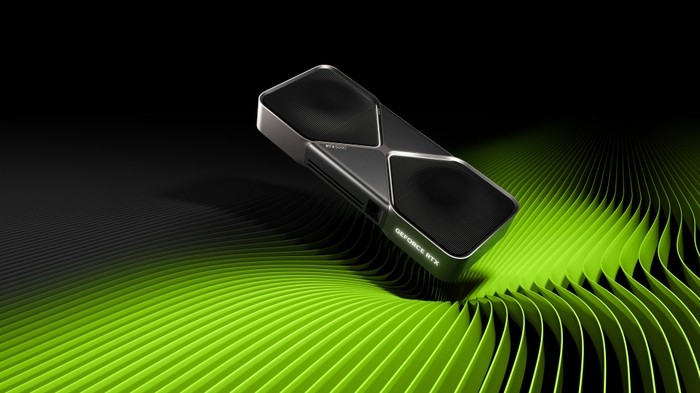
But not every PC build is equal for AI workloads. Gaming PCs prioritize GPU compute; AI PCs prioritize VRAM capacity and memory bandwidth. A $500 GPU with 8GB VRAM is useless for serious LLM work, while a used RTX 3090 with 24GB VRAM for $800 can run 30B models comfortably. This guide gives you three optimized builds — budget, mid-range, and enthusiast — with exact parts, what models they run, and real-world performance numbers.
What matters most: VRAM, bandwidth, and system RAM
Before picking parts, you need to understand three numbers that determine what your AI PC can actually do:
VRAM (GPU memory) — the hard ceiling
VRAM determines the largest model you can load. A 7B-parameter model quantized to Q4 needs roughly 4-5GB of VRAM. A 13B model needs 8-10GB. A 70B model needs 40-45GB at Q4 — meaning you need either a single RTX 5090 (32GB) with aggressive quantization, or two 24GB GPUs. There is no workaround: if the model doesn't fit in VRAM, it spills to system RAM and runs 10-20x slower.
Memory bandwidth — tokens per second
Once the model fits in VRAM, memory bandwidth determines how fast you generate tokens. The RTX 5090's GDDR7 delivers 1,792 GB/s — that's why it generates 213 tokens/sec on 8B models versus the RTX 4090's 128 tok/s with 1,008 GB/s bandwidth. For interactive use (chatbots, coding assistants), you want at least 30-40 tok/s. For batch processing, raw bandwidth matters less than total throughput.
System RAM — the overflow buffer
When running models that partially fit in VRAM, the remaining layers offload to system RAM. DDR5-6000 in dual-channel provides ~76 GB/s — much slower than GDDR7, but still usable for the offloaded portion. Having 64GB+ of system RAM lets you run larger models with partial GPU offloading, trading speed for capability.
| Model Size | VRAM Needed (Q4) | Recommended GPU | Expected Speed |
|---|---|---|---|
| 7-8B | 5-6 GB | Any 8GB+ GPU | 80-213 tok/s |
| 13-14B | 8-10 GB | RTX 4060 Ti 16GB / RTX 3090 | 45-90 tok/s |
| 27-32B | 18-22 GB | RTX 3090 24GB / RTX 5090 32GB | 25-55 tok/s |
| 70B | 40-45 GB | 2x RTX 3090 / RTX 5090 + offload | 10-30 tok/s |
| 100B+ MoE | 24-35 GB (active params) | RTX 5090 32GB | 20-40 tok/s |
Budget AI build: $1,200-1,500
This build targets developers and hobbyists who want to run 7B-13B models locally for coding assistance, writing, and experimentation. It's the entry point to practical local AI.
Parts list
| Component | Pick | Price |
|---|---|---|
| GPU | Used RTX 3090 24GB | ~$800 |
| CPU | AMD Ryzen 5 9600X | ~$200 |
| Motherboard | B650 (e.g., MSI MAG B650 Tomahawk WiFi) | ~$180 |
| RAM | 32GB DDR5-6000 CL30 (2x16GB) | ~$150 |
| Storage | 1TB NVMe Gen 4 | ~$80 |
| PSU | 850W 80+ Gold (ATX 3.0) | ~$120 |
| Case | Mid-tower with good airflow | ~$80 |
| Total | ~$1,610 |
Why the used RTX 3090?
The RTX 3090 is the undisputed value king for local AI in 2026. At $700-900 used, you get 24GB GDDR6X — the same VRAM as an RTX 4090 at less than half the price. It comfortably runs 13B models at Q8 quantization and 30B+ models at Q4. The compute is older (Ampere architecture), but for inference workloads, VRAM capacity matters far more than raw FLOPS. Two used RTX 3090s (~$1,600) give you 48GB total VRAM and outperform a single RTX 4090 for 70B models.
What this build runs
- Llama 3.3 8B — 112 tok/s at Q4_K_M, buttery smooth for coding
- DeepSeek-R1 Distill 14B — ~55 tok/s, excellent chain-of-thought reasoning
- Gemma 3 27B — ~25 tok/s at Q4, strong multimodal capabilities
- Stable Diffusion XL — 1024×1024 images in ~15 seconds
- Llama 4 Scout 109B — ~18 tok/s at Q4 with partial CPU offload (only 17B params active thanks to MoE)
Mid-range AI build: $2,500-3,500
This is the sweet spot for professionals who rely on local AI daily — software developers using AI coding assistants, researchers running experiments, or content creators using image and video generation.
Parts list
| Component | Pick | Price |
|---|---|---|
| GPU | NVIDIA RTX 4090 24GB | ~$2,000 |
| CPU | AMD Ryzen 7 9700X | ~$290 |
| Motherboard | X670E (e.g., MSI MAG X670E Tomahawk WiFi) | ~$250 |
| RAM | 64GB DDR5-6000 CL30 (2x32GB) | ~$300 |
| Storage | 2TB NVMe Gen 4 | ~$130 |
| PSU | 1000W 80+ Gold (ATX 3.0) | ~$160 |
| Case | Full tower with excellent airflow | ~$120 |
| Total | ~$3,250 |
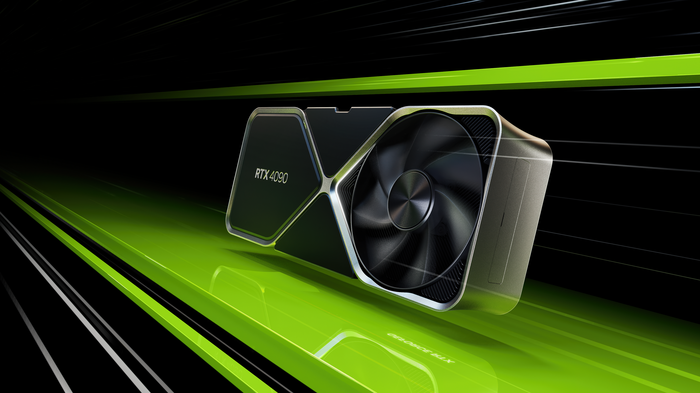
Why the RTX 4090?
Even with the RTX 5090 on the market, the RTX 4090 remains the most practical high-end choice for local AI. NVIDIA discontinued production in October 2024, but used units sell for $1,800-2,200 — significantly less than the RTX 5090's $2,900+ street price. You get 24GB GDDR6X with 1,008 GB/s bandwidth, 128 tok/s on 8B models, and a mature ecosystem with perfect driver support. The 8GB VRAM difference versus the 5090 rarely matters because models that need 25-32GB require aggressive quantization anyway.
64GB system RAM is critical
With 64GB of DDR5, you can partially offload 70B models — keeping the most performance-critical layers on the GPU while the rest runs from system memory. You'll get 10-15 tok/s on Llama 3.3 70B this way, which is usable for non-interactive tasks. The extra RAM also helps when running multiple AI services simultaneously — an LLM for coding plus Stable Diffusion for image generation, for instance.
What this build runs
- DeepSeek-R1 Distill 32B — ~40 tok/s at Q4, near-frontier reasoning quality
- Llama 4 Scout 109B — ~28 tok/s, only 17B active params fit comfortably in 24GB
- Llama 3.3 70B — ~12 tok/s with partial offload to system RAM
- Stable Diffusion 3.5 Large — 1024×1024 in ~34 seconds
- Flux (quantized) — runs at FP8 within 24GB
- HunyuanVideo 1.5 — local video generation with 8.3B params
Enthusiast AI build: $4,500-5,500
This build is for power users who want to run 70B+ models at full speed, fine-tune models locally, or serve AI to a small team. The RTX 5090's 32GB of GDDR7 opens up model sizes that were previously impossible on a single consumer GPU.
Parts list
| Component | Pick | Price |
|---|---|---|
| GPU | NVIDIA RTX 5090 32GB | ~$2,900 |
| CPU | AMD Ryzen 9 9950X | ~$450 |
| Motherboard | X870E (e.g., ASUS ROG Crosshair X870E Hero) | ~$450 |
| RAM | 128GB DDR5-6000 (4x32GB or 2x64GB) | ~$600 |
| Storage | 4TB NVMe Gen 4 | ~$250 |
| PSU | 1200W 80+ Platinum (ATX 3.0) | ~$250 |
| Case | Full tower with premium cooling | ~$180 |
| Total | ~$5,080 |
The RTX 5090 advantage: FP4 and 32GB GDDR7
The RTX 5090 brings two game-changers for local AI. First, 32GB of GDDR7 at 1,792 GB/s bandwidth — 77% faster than the RTX 4090. This means 213 tok/s on 8B models, and it can natively load 70B Q4 models that previously required dual GPUs. Second, Blackwell's native FP4 support lets you run models at 4-bit precision with hardware acceleration, cutting VRAM usage roughly in half compared to FP8 with minimal quality loss.
128GB RAM for maximum flexibility
With 128GB of system RAM, you can run the largest MoE models with generous CPU offloading. DeepSeek-R1's 671B parameters at Q4 quantization need roughly 300GB — with 32GB on the GPU and 128GB in system RAM, you can load a substantial portion and get usable throughput for batch tasks. It also means you can keep multiple models loaded simultaneously.
What this build runs
- Llama 3.3 70B — ~30 tok/s fully on GPU at Q4, no offloading needed
- Llama 4 Maverick 400B — ~15-20 tok/s at Q4 (only 17B active params in MoE)
- DeepSeek-V3.2 671B — ~5-8 tok/s with heavy offloading, usable for batch processing
- Stable Diffusion 3.5 Large — full FP16, no quantization needed
- LTX-2 video generation — 4K video at 50 FPS, up to 20 seconds
- Fine-tuning 7-13B models — LoRA fine-tuning with QLoRA fits in 32GB
Dual-GPU alternative: two RTX 3090s
There's a strong case for building a dual RTX 3090 system instead of a single RTX 5090 — especially on a budget. Two used RTX 3090s cost roughly $1,600-1,800 total and give you 48GB of combined VRAM, far more than the 5090's 32GB. For 70B models, this is actually the superior setup.
The tradeoff is bandwidth: each RTX 3090 has 936 GB/s, but inter-GPU communication over NVLink (if available) or PCIe adds latency. Token generation speed for models split across two GPUs is typically 30-40% lower than if the same model fit on a single GPU. You also need a motherboard with two x16 PCIe slots and a 1200W+ PSU to handle the combined 700W+ power draw.
Dual 3090 build parts
| Component | Pick | Price |
|---|---|---|
| GPUs (2x) | 2x Used RTX 3090 24GB | ~$1,700 |
| CPU | AMD Ryzen 9 9950X | ~$450 |
| Motherboard | X870E with 2x PCIe x16 | ~$400 |
| RAM | 128GB DDR5-6000 | ~$600 |
| PSU | 1600W 80+ Platinum | ~$350 |
| Case | Full tower with triple-slot spacing | ~$180 |
| Total | ~$3,880 |
This build runs Llama 3.3 70B at Q6_K with room to spare — higher quality than Q4 — at roughly 18-22 tok/s. For $1,200 less than the enthusiast RTX 5090 build, you get more VRAM and the ability to run larger models. The main downside is noise, heat, and the physical space two triple-slot GPUs demand.
Software stack: getting your AI PC running
Hardware is only half the equation. Here's the software stack we recommend for each tier:
Easiest setup: Ollama
Install Ollama, run ollama pull llama4-scout, and start chatting. It auto-detects your GPU, handles quantization, and exposes an OpenAI-compatible API. Perfect for beginners and developers integrating local AI into applications. One command to install, one command to run any model.
Best GUI: LM Studio
LM Studio gives you a polished desktop interface for browsing, downloading, and running models. It outperforms Ollama on integrated GPUs and Apple Silicon thanks to Vulkan offloading, and includes a headless server mode for API access. Best choice for non-terminal users.
Maximum performance: llama.cpp + vLLM
For squeezing every token per second out of your hardware, llama.cpp (under 90MB, zero dependencies) gives you the most control over quantization and layer offloading. For multi-user serving, vLLM with PagedAttention achieves 793 tok/s compared to Ollama's 41 tok/s in production benchmarks — a 19x throughput advantage at scale.
Image and video generation: ComfyUI
ComfyUI is the dominant workflow tool for Stable Diffusion, Flux, and video generation models. Its node-based interface lets you chain together complex pipelines, and NVFP4/FP8 optimizations deliver up to 3x performance boosts on RTX 50-series cards.
Frequently Asked Questions
What is the best GPU for running AI locally in 2026?
The best value GPU for local AI is the used RTX 3090 at $700-900 — it offers 24GB VRAM, enough for 30B+ models. The best overall GPU is the RTX 5090 with 32GB GDDR7 and native FP4 support, though street prices of $2,900+ make it a premium choice. The RTX 4090 sits in between at $1,800-2,200 used.
How much VRAM do I need to run LLMs locally?
It depends on model size. 7-8B models need 5-6GB VRAM (any modern GPU works). 13B models need 8-10GB. 30B models need 18-22GB (RTX 3090 or 5090). 70B models need 40-48GB (dual RTX 3090s or RTX 5090 with offloading). MoE models like Llama 4 Scout (109B total, 17B active) only need 18-24GB because not all parameters activate at once.
Is a used RTX 3090 good for AI workloads?
Yes — the RTX 3090 is the best value GPU for local AI in 2026. At $700-900 used, you get the same 24GB VRAM as an RTX 4090 at less than half the price. It runs 30B models natively and, in a dual-GPU setup (48GB total), handles 70B models. The older Ampere architecture is slower per-token than Ada Lovelace or Blackwell, but VRAM capacity matters more than compute speed for most inference workloads.
Can I run a 70B model on a single GPU?
Only with aggressive quantization. A 70B model at Q4 needs ~40GB — the RTX 5090 (32GB) can run it at Q3 or with partial CPU offloading. The RTX 4090 (24GB) cannot fit a 70B model on-GPU. For comfortable 70B performance, dual RTX 3090s (48GB) or the RTX 5090 with 64GB+ system RAM for overflow is the recommended setup.
How much does a local AI PC cost in 2026?
A budget build with a used RTX 3090 costs roughly $1,500 and runs 7-13B models well. A mid-range build with an RTX 4090 costs ~$3,200 and handles 30B+ models. An enthusiast build with an RTX 5090 costs ~$5,000 and can run 70B models on a single GPU. A dual RTX 3090 build at ~$3,900 offers the best VRAM-per-dollar for 70B workloads.
Is building a local AI PC cheaper than using cloud AI APIs?
For heavy users, yes. If you spend $100-500/month on AI API calls, a mid-range local AI PC ($3,000-3,500) pays for itself in 2-8 months. After that, inference is essentially free. Light users (under $30/month in API costs) may not recoup the investment. The breakeven depends on your usage volume and which API models you're replacing.
Related Articles
Local AI Image and Video Generation in 2026: Models, Hardware, and Setup
Complete guide to running Stable Diffusion, Flux, and AI video generation locally. Covers GPU requirements, model comparison, ComfyUI setup, and what hardware you need for 1024px images and 4K video generation on your own PC.
Best PC Build for 1440p Gaming in 2026
A complete 1440p gaming PC build guide with specific part recommendations, performance expectations, and budget options. Updated for March 2026.
RTX 5090 vs Apple M5 Max for Local AI: GPU VRAM vs Unified Memory
An in-depth comparison of NVIDIA's RTX 5090 (32GB GDDR7) and Apple's M5 Max (128GB unified memory) for running AI models locally. Covers LLM inference, image generation, fine-tuning, power efficiency, and total cost of ownership.