Gemma 3 12B Hardware Requirements
The previous-gen Google mid-sizer with vision built in. Gemma 4 supersedes it, but this remains a well-tested, friendly assistant model that fits 12GB cards with ease.
VRAM needed (Q4, 8k context)
10.0 GB
Cheapest GPU that runs it: RTX 3060 (~$238 used)
Check Price on AmazonUpdated July 2026. Estimates — see methodology below.
VRAM by Quantization
Weights + KV cache at 8k context + 1.2GB system overhead. Q4_K_M is the community default — quality loss is negligible for most use.
| Quantization | Weights | KV cache (8k) | Total VRAM | Cheapest GPU that fits |
|---|---|---|---|---|
| Q4_K_M Recommended — near-lossless for most use, half the size of Q8 | 7.3 GB | 1.5 GB | 10.0 GB | RTX 3060 (~$238 used) |
| Q5_K_M Slightly higher quality than Q4 for ~18% more VRAM | 8.6 GB | 1.5 GB | 11.3 GB | RTX 3060 (~$238 used) |
| Q8_0 Effectively lossless — use if you have VRAM to spare | 12.8 GB | 1.5 GB | 15.4 GB | Arc A770 (from $300) |
| FP16 Full precision — only for fine-tuning or maximum fidelity | 24.0 GB | 1.5 GB | 26.7 GB | RTX 5090 (from $2,800) |
Longer context costs VRAM
KV cache grows linearly with context: 8k → 1.5 GB · 32k → 6.0 GB · 128k → 24.0 GB. If you plan to feed whole documents or codebases, size your GPU for the context you actually need, not just the weights.
Best GPUs for Gemma 3 12B
The cheapest way to run Gemma 3 12B well. Expect fast responses at ~25 tokens/sec.
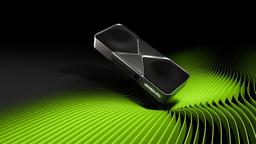
The fastest single-GPU experience for Gemma 3 12B. Expect instant-feeling responses at ~123 tokens/sec.
GPU Compatibility (Q4, 8k context)
Every GPU in our database, scored against Gemma 3 12B. Speed is estimated decode rate — memory-bandwidth-bound, so VRAM and bandwidth matter more than shader count.
| GPU | VRAM | Verdict | Est. speed | Price | |
|---|---|---|---|---|---|
| RTX 3060 | 12 GB | Runs great | ~25 tok/sFast | ~$238 used | Check price |
| Arc B580 | 12 GB | Runs great | ~31 tok/sFast | from $250 | Check price |
| RX 6700 XT | 12 GB | Runs great | ~26 tok/sFast | ~$315 used | Check price |
| Arc A770 | 16 GB | Runs great | ~38 tok/sFast | from $300 | Check price |
| RX 7700 XT | 12 GB | Runs great | ~30 tok/sFast | ~$415 used | Check price |
| RX 6800 XT | 16 GB | Runs great | ~35 tok/sFast | ~$438 used | Check price |
| RX 7800 XT | 16 GB | Runs great | ~43 tok/sFast | ~$488 used | Check price |
| RTX 4070 | 12 GB | Runs great | ~35 tok/sFast | ~$500 used | Check price |
| RTX 4070 SUPER | 12 GB | Runs great | ~35 tok/sFast | ~$563 used | Check price |
| RX 7900 XT | 20 GB | Runs great | ~55 tok/sFast | ~$588 used | Check price |
| RTX 5060 Ti | 16 GB | Runs great | ~31 tok/sFast | from $550 | Check price |
| RX 9070 | 16 GB | Runs great | ~44 tok/sFast | from $575 | Check price |
| RTX 5070 | 12 GB | Runs great | ~46 tok/sFast | from $600 | Check price |
| RX 9070 XT | 16 GB | Runs great | ~44 tok/sFast | from $600 | Check price |
| RTX 4070 Ti SUPER | 16 GB | Runs great | ~46 tok/sFast | ~$750 used | Check price |
| RX 7900 XTX | 24 GB | Runs great | ~66 tok/sInstant-feeling | ~$838 used | Check price |
| RTX 4080 SUPER | 16 GB | Runs great | ~51 tok/sFast | ~$900 used | Check price |
| RTX 5070 Ti | 16 GB | Runs great | ~62 tok/sInstant-feeling | from $900 | Check price |
| RTX 3090 | 24 GB | Runs great | ~64 tok/sInstant-feeling | ~$1,150 used | Check price |
| RTX 5080 | 16 GB | Runs great | ~66 tok/sInstant-feeling | from $1,250 | Check price |
| RTX 4090 | 24 GB | Runs great | ~69 tok/sInstant-feeling | ~$2,375 used | Check price |
| RTX 5090 | 32 GB | Runs great | ~123 tok/sInstant-feeling | from $2,800 | Check price |
| Arc B570 | 10 GB | Tight fit | ~26 tok/sFast | from $225 | Check price |
| RTX 3080 | 10 GB | Tight fit | ~52 tok/sFast | ~$463 used | Check price |
| RTX 4060 | 8 GB | Partial offload | — | ~$275 used | |
| RX 7600 | 8 GB | Partial offload | — | from $250 | |
| RTX 4060 Ti | 8 GB | Partial offload | — | ~$338 used | |
| RTX 3070 | 8 GB | Partial offload | — | ~$338 used | |
| RTX 5060 | 8 GB | Partial offload | — | from $325 |
Run it in one command
With Ollama installed, this pulls the default quant and starts chatting:
Frequently Asked Questions
How much VRAM do I need to run Gemma 3 12B?+
At the recommended Q4_K_M quantization with 8k context, Gemma 3 12B needs roughly 10.0GB of VRAM (7.3GB weights + KV cache + overhead). Q8 needs about 15.4GB and full FP16 about 26.7GB.
What is the cheapest GPU that runs Gemma 3 12B?+
NVIDIA GeForce RTX 3060 (12GB, ~$238 used) is the cheapest current GPU in our database that runs Gemma 3 12B fully in VRAM at an estimated ~25 tokens/sec.
Can I run Gemma 3 12B on an RTX 3060?+
Yes — the RTX 3060 12GB runs Gemma 3 12B at Q4 comfortably.
Can I run Gemma 3 12B on a Mac?+
Yes, if the Mac has enough unified memory: budget roughly 10.0GB of RAM for the Q4 version (plus what macOS itself uses). Apple Silicon runs GGUF models well via Ollama or LM Studio.
Can I run Gemma 3 12B on CPU only?+
Technically yes with enough system RAM, but a dense 12B model on CPU is slow — usually a few tokens/sec at best. Fine for testing, painful for daily use.
Is Gemma 3 12B free for commercial use?+
Yes. Gemma 3 12B is released under the Gemma Terms of Use, which permits commercial use.
Related Models
How we calculate these numbers
VRAM = model weights (parameters × bits per weight ÷ 8) + KV cache (architecture-specific bytes per token × context length) + ~1.2GB runtime overhead. Speed estimates assume decode is memory-bandwidth-bound at ~50% utilization (lower for MoE models, which pay routing overhead), matching typical llama.cpp performance on consumer cards; real results vary with runtime, drivers, and settings. Quant sizes reflect GGUF K-quants, which keep some layers at higher precision. Figures are estimates for planning, not guarantees — when in doubt, buy more VRAM than you need today. Prices shown are launch MSRP; mid-2026 street prices often run well above MSRP due to the ongoing memory shortage, and used 24GB cards are holding their value unusually well.